Master automated data workflows and professional visualization techniques to turn raw Excel files into actionable business insights.
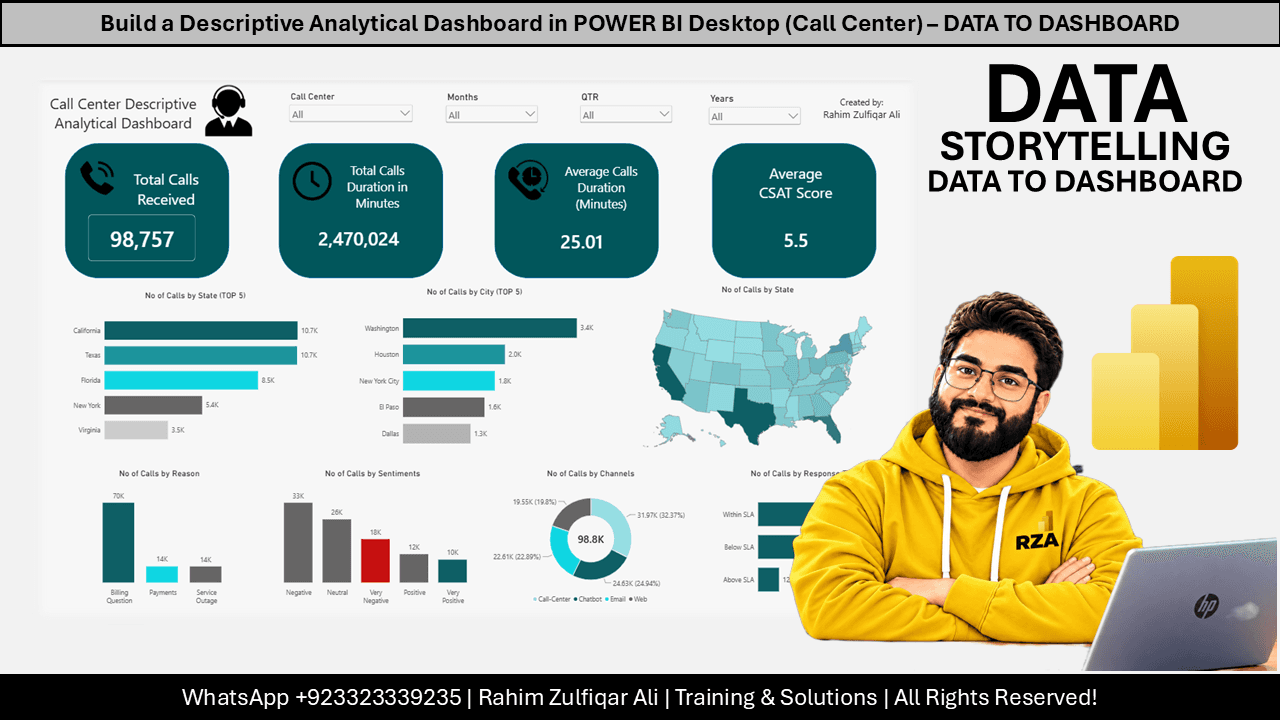
This course provides a comprehensive guide to building a descriptive analytical dashboard using Microsoft Power BI Desktop. It covers the end-to-end process of importing multiple Excel workbooks from a folder, performing data transformations using Power Query, and establishing automated workflows for future data updates. The material details how to create a data model, implement relationships between fact and dimension tables, and design a professional dashboard interface with interactive slicers and KPIs. Learners will also explore techniques for data visualization, including the use of shapes, images, and various chart types to effectively communicate business metrics like call center performance.
Topics Covered:

Data, BI & AI Transformation Leader & Consultant | Founder & CEO - Excel Basement | MVP & MCT
Data, BI & AI Transformation Leader & Consultant | Founder & CEO - Excel Basement | 2X Microsoft MVP (Excel) | 9X MCT (2016-2025) | PowerBI, Excel, Fabric, Python, SQL
Professional development requirements vary by profession, country, and regulatory body. Before enrolling, review the course details and confirm that the content, learning format, and any listed credits meet your specific requirements. You are responsible for confirming eligibility with your regulator or professional association and keeping the records required for reporting.
