Learn to build interactive data visualizations and turn raw data into actionable insights with this hands-on guide.
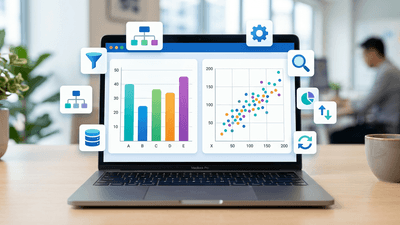
This course provides a foundational overview of Tableau Desktop, covering the core product line, workspace navigation, and data visualization techniques. It explains the differences between live connections and data extracts, the management of dimensions and measures, and the creation of interactive dashboards. Participants will learn how to prepare data, build various chart types, and utilize features such as filters, sets, and hierarchies to analyze data effectively. The content also addresses best practices for sharing visualizations and managing workbook versions to ensure efficient reporting workflows.
Topics Covered:

BI Consultant & Data Visualization Expert
Data and Analytics Leader with nearly 20 years of experience excelling in delivery and driving outcomes through engagement and solution leadership. Demonstrates a breadth and depth in functional & technical roles. In addition to project delivery, responsible for people leadership, sales, solutioning, staffing, recruiting, and offering creation. Technical Skills: Tableau | SQL | Snowflake | Salesforce | AWS | SAP | Oracle | Business Objects | R | Python Other: Agile | Data Visualization | Wireframing | Prototyping | Training | Data Strategy Industry Experience: Tech | Insurance | Finance | Healthcare | Defense | Higher Ed | Life Sciences
Professional development requirements vary by profession, country, and regulatory body. Before enrolling, review the course details and confirm that the content, learning format, and any listed credits meet your specific requirements. You are responsible for confirming eligibility with your regulator or professional association and keeping the records required for reporting.
